Smart Locks: Pros, Cons, and What Austin Homeowners Should Know
Complete guide to smart locks for Austin homeowners: honest pros and cons, key features to look for, popular brands compared, and installation advice.
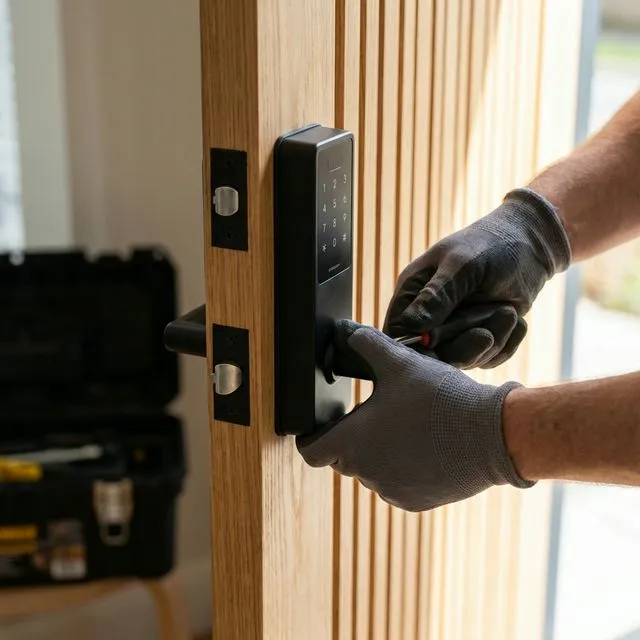
Quick Answer: Smart locks offer keyless entry via codes, smartphones, or fingerprints. They're convenient and can enhance security—but require power (batteries or wiring), may have connectivity issues, and cost more than traditional locks. Choose wisely based on your needs and home setup.
This guide breaks down how smart locks work, their real-world pros and cons, what to look for when shopping, and whether they're the right fit for your Austin home.
What Is a Smart Lock?
- PIN codes — Enter a numeric code on a keypad
- Smartphone apps — Lock/unlock remotely via Bluetooth or Wi-Fi
- Fingerprint scanners — Biometric access
- Voice assistants — "Alexa, lock the front door"
- Auto-lock features — Locks automatically after a set time
Most smart locks still have a physical key backup for emergencies.
The Benefits of Smart Locks
- No more keys to lose — Generate codes for guests, cleaners, or family members
- Remote access — Lock or unlock from anywhere via your phone
- Activity logs — See who entered and when
- Temporary codes — Set time-limited access for Airbnb guests or contractors
- Auto-lock — Never forget to lock the door
- Integration — Works with Alexa, Google Home, or Apple HomeKit
- No rekeying needed — Just delete old codes when someone moves out
The Drawbacks of Smart Locks
- Battery dependency — Most run on batteries that need replacement every 6-12 months
- Connectivity issues — Wi-Fi or Bluetooth problems can cause delays
- Higher cost — Quality smart locks range from a fair price+
- Learning curve — Setup and app management require some tech comfort
- Potential hacking — Like any connected device, security vulnerabilities can exist
- Mechanical backup needed — Physical key or PIN required if batteries die or tech fails
⚠️ Important: Never rely solely on smart features. Always ensure your smart lock has a physical key backup or PIN option in case of power failure, app glitches, or phone loss.
Key Features to Look For
Security ratings:
- Look for ANSI/BHMA Grade 1 or 2 (Grade 3 is lowest security)
- Pick-resistant and bump-resistant mechanisms
Connectivity:
- Bluetooth (works locally, no internet required)
- Wi-Fi (remote access from anywhere)
- Z-Wave/Zigbee (integrates with smart home hubs)
Power:
- Battery-powered (most common, usually AA or lithium)
- Hardwired (no batteries but requires electrician for install)
Backup options:
- Physical key cylinder
- PIN keypad
- 9V battery emergency backup terminal
Popular Smart Lock Brands
- Schlage Encode — Excellent security, built-in Wi-Fi, physical key backup
- Yale Assure Lock 2 — Sleek design, multiple connectivity options
- August Smart Lock — Retrofits over existing deadbolt, keeps physical key
- Kwikset Halo — Good value, Wi-Fi enabled, fingerprint option available
- Level Lock — Invisible smart lock (looks like regular deadbolt)
Prices range from a fair price for basic models to a fair price+ for premium options with full smart home integration.
Installation: DIY vs Professional
When to hire a locksmith:
- Your door doesn't have an existing deadbolt cutout
- The door or frame is damaged or non-standard
- You want professional calibration for optimal security
- Installing multiple locks (saves time)
- You want the old locks rekeyed as backup
Professional installation typically costs a fair price per lock.
Frequently Asked Questions
Are smart locks safe?
Quality smart locks with ANSI Grade 1 or 2 ratings are as secure as traditional high-end deadbolts. The main risks are poor installation, using weak PIN codes, or choosing cheap brands with known vulnerabilities.
Can smart locks be hacked?
Any connected device has some risk. However, reputable brands use encryption and don't store PINs in plain text. Physical break-ins remain far more common than digital attacks on smart locks.
What happens if the battery dies?
Most smart locks warn you well in advance via the app. If the battery dies completely, use the physical key backup or the 9V battery emergency terminal (found on most models) to temporarily power the lock.
Can smart locks work without Wi-Fi?
Yes. Bluetooth-only models work locally without internet. Wi-Fi is only required for remote access from outside your home. PIN codes and physical keys always work regardless of connectivity.
Are smart locks good for Airbnb or rentals?
Excellent. You can create unique codes for each guest, set time limits on access, and see when guests arrive/leave—all without exchanging physical keys or meeting in person.
Can a locksmith install smart locks?
Yes. Locksmiths can install, program, and troubleshoot smart locks. They can also ensure proper alignment, reinforce your door if needed, and configure backup keys.
Do smart locks work with Alexa or Google Home?
Most major brands (Schlage, Yale, August, Kwikset) integrate with popular voice assistants. Check compatibility before purchasing if smart home integration is important to you.
How long do smart lock batteries last?
Typically 6-12 months depending on usage frequency. Wi-Fi models drain batteries faster than Bluetooth-only. Most apps notify you when battery is low.
Can I keep my existing keys with a smart lock?
Some smart locks (like August) retrofit over your existing deadbolt within letting you keep the same keys. Others require replacement but include a new key cylinder.
What's the best smart lock for Austin homes?
For most Austin homeowners, the Schlage Encode offers the best balance of security (Grade 1), convenience (built-in Wi-Fi), and reliability. For renters who can't replace locks, August is a great retrofit option.
Key Takeaways
- Smart locks offer genuine convenience: keyless entry, remote access, and activity logs
- Choose a lock with ANSI Grade 1 or 2 rating for real security
- Always ensure a physical backup (key or PIN) in case of tech failures
- Budget a fair price for quality smart locks
- DIY installation is possible, but locksmiths ensure proper setup
- Great for rentals and Airbnb due to temporary code features

About The Author
A1 Lock Express Team
Licensed mobile locksmith team serving Austin, TX with residential, commercial, automotive, and emergency service across the Greater Austin area. Texas Locksmith License #B12718701.
Learn more about A1 Lock ExpressRelated Locksmith Services
Need Locksmith Services in Austin?
Our expert team is available 24/7 for all your locksmith needs.
Get a Free Estimate